Trojan Remover 6.8.2 Build 2600 Full • Incl. patch by JhonWho

Trojan Remover 6.8.2 Build 2600 Full • Incl. patch by JhonWho
Released: October 02, 2011

Image

Quote:
Trojan Remover aids in the removal of Malware - Trojan Horses, Worms, Adware, Spyware - when standard anti-virus software either fails to detect them or fails to effectively eliminate them. Standard antivirus programs are good at detecting this Malware, but not always so good at effectively removing it.

Trojan Remover is designed specifically to disable/remove Malware without the user having to manually edit system files or the Registry. The program also removes the additional system modifications some Malware carries out which are ignored by standard antivirus and trojan scanners.


Features of Trojan Remover:


Trojan Remover will examine all the system files, including the Windows Registry and determine the programs and files that are loaded at boot time. The majority of Trojan Horses (once triggered) are loaded this way.


Trojan Remover
will scan ALL the files loaded at boot time for Remote Access Trojans ('backdoors', like NetBus, SubSeven, Optix Pro, Back Orifice etc.), Internet Worms and other malware.

For each identified Trojan Horse, Worm, or other malware, Trojan Remover will pop up an alert screen showing the file location and name; it will offer to remove the program's reference from the system files and allow you to rename the file to stop its activation.


Most modern Trojans make themselves memory-resident, making their de-activation more difficult. How many times have you been told to start your computer in 'Safe' mode, or even worse, in DOS? Trojan Remover will do all this for you. When a Trojan is found that is memory-resident, Trojan Remover will (on request) reboot your system and completely DISABLE the Trojan before Windows restarts. It also protects the system files whilst doing so by making them read-only.


Trojan Remover
writes to a detailed logfile each time a Scan is performed. This file contains information on which programs are loaded at boot-time, and what (if any) actions Trojan Remover carried out. This logfile can be printed out for future reference.

The program incorporates the ability to automatically scan for Trojans every time you start your computer.


You can scan individual files and directories from within Windows Explorer.


Trojan Remover
incorporates an integral Updater allowing for quick and easy Database updates.

What's New in Trojan Remover 6.8.2 :


* Added new heuristic detection algorithms.

* Various GUI changes.

Compatible with :Windows 98/ME/2000/XP/Vista/Windows 7 (32-bit)


Win32 Conficker Worm removal tools

 Win32 Conficker Worm removal tools
specific Free removal clients for "Win32/Conficker" Worm,this worm have infected computers ranged from almost 9 million to 15 million! Conficker, also known as Downup, Downadup and Kido, is a computer worm
targeting the Microsoft Windows operating system that was first detected in October 2008. The worm has been unusually difficult for network operators and law enforcement to counter because of its combined use of advanced malware techniques.

The "Conficker" specific removal tools (from,are):

Symantec....... W32.Downadup Removal Tool
Kaspersky..... KKiller_v3.4.3 tool
BITdefender.....bd_rem_tool
MicroSoft......Microsoft Windows Malicious Software Removal Tool (KB890830)
Eset...... Win32/Conficker Worm Removal Tool,
F-Secure.....F-SECURE MALWARE REMOVAL TOOL (F-Downadup)
McAfee.......Stinger tool
Spy Hunter Conficker Removal Tool
Sophos Conficker Cleanup Tool
Protector Plus Clean Conficker worm tool


Xilisoft ISO Burner 1.0.52.1226

Xilisoft ISO Burner 1.0.52.1226


Smart and professional, Xilisoft ISO Burner makes it easy to burn ISO to CD, burn ISO to DVD, including data ISO, movie ISO, and bootable ISO image files to CD-R, CD-RW, DVD-R, DVD+R, DVD-RW, DVD+RW, DVD+R DL. The DVD ISO burner can also burn image files of all other formats, such as BIN/CUE, IMG, MDF, NRG, CDI, B5i, B6i, and DMG.

Xilisoft ISO Burner provides the highest speed to burn ISO files to CD, burn ISO to DVD, and 1-2-3 simple ISO burning steps to most save your time and energy. Moreover, the ISO burn software can check input disc and prompt to erase the content, allow you to burn multiple copies and check burning log file info. Start easy-to-control and fast ISO burning now.


Burn data/movie/bootable ISO image files to CD/DVD

Burn BIN/CUE, IMG, MDF, NRG, CDI, B5i, B6i, and DMG to CD/DVD

Burn ISO to CD-R, CD-RW, DVD-R, DVD+R, DVD-RW, DVD+RW, DVD+R DL


tinda.rar - 5.3 MB


TeraCopy Pro v2.27 • Incl. Genuine key

TeraCopy Pro v2.27 • Incl. Genuine key
Copy and move files at the maximum possible speed
New Version: November 18, 2011

Image

Quote:

TeraCopy
is a great utility designed to copy/move files faster and more secure. TeraCopy can resume broken file transfers. TeraCopy skips bad files during copy and even shows the skipped files at the end of files transfer. Calculates files CRC checksum on the fly to speed up source and target files comparison. Seamless integration with Windows Explorer allows you to keep working with files as usual.

TeraCopy
is a compact program designed to copy and move files at the maximum possible speed, providing the user a lot of features:

*
Copy files faster. TeraCopy uses dynamically adjusted buffers to reduce seek times. Asynchronous copy speeds up file transfer between two physical hard drives.
* Pause and resume file transfers. Pause copy process at any time to free up system resources and continue with a single click.
* Error recovery. In case of copy error, TeraCopy will try several times and in the worse case just skips the file, not terminating the entire transfer.
* Interactive file list. TeraCopy shows failed file transfers and lets you fix the problem and recopy only problem files.
* Shell integration. TeraCopy can completely replace Explorer copy and move functions, allowing you work with files as usual.
* Copy/move to favorite folders. (Pro)
* Select files with the same extension/same folder. (Pro)
* Remove selected files from the copy queue. (Pro)
* Full Unicode support.
* Windows 7 x64 support.

What's New in TeraCopy v2.27


* Added: 'Remove other' to remove non-selected files from the list [Pro].

* Added: Better handling multiple copy processes.
* Added: Multiple retries to delete source files and folders after moving.
* Added: Tray notification when adding files to the existing process.
* Fixed: Problem with some non-latin filenames.
* Fixed: Copied files now have a correct creation time.
* Added: WaitBeforeMinimize option to ini file.

Compatible with: Windows XP, Vista and Win7 (32/64-bit )


Your Uninstaller! Pro 7.4.2012.1 + Genuine Key  

Your Uninstaller! Pro 7.4.2012.1 Final - Multilingual - Full

New Release: Jan 25, 2012

Image

Quote:
We are proud to announce the release of Your Uninstaller! 2011, the award winning uninstaller product on the market. Keeping all the features of previous features, Your Uninstaller! 2011 comes with more amazing features.

Having trouble uninstalling a program? Is your computer getting slower and slower? Get the best uninstaller software - Your Uninstaller! now to Make Your Computer Fast and Clean!

Your Uninstaller! uninstaller software is the industry's leading uninstaller. It comes with SmartUninstall which helps you completely remove applications.

What's New in Your Uninstaller! Pro v7.4:

* This is a major upgrade from Your Uninstaller! 2011 with many improved and new features.
* Greatly improves the scanning speed on searching over system files and registry.
* Supports 64 bit platforms like Windows XP 64 and Windows 7 64.
* Optimized match method to accurately locate unnecessary items.
* Different scan level after uninstall for all users.
* Newly added Uninstall Hunter makes uninstall even easier.
* Fully Windows 7 support.
* Groups all installed programs for clear view.
* Mark programs as "Never Uninstall" to prevent uninstalling important programs accidently.
* Monitors newly installed programs and reports as soon as possible.
* Re-organize features to make them easier to find and use.
* Backs up system state before uninstall so you can restore to an earlier state any time.
* Core level optimization for uninstall performance.
* New "Quick Uninstall" to uninstall some programs with only one click.
* New "Type and Go" feature to uninstall programs by typing a few words.
* Re-designed Startup Manager to work on both 64 bit and 32 bit platforms.
* Re-designed Disk Cleaner for better performance and easier to use.
* Improved Trace Eraser to wipe all surfing information with NON-RECOVERABLE removal.
* Improved loading speed of Start Menu Cleaner.
* New "File Shredder" to permanently destroy secure data.
* New "Windows Tools" to discover more on Windows.
* More advanced options for experts.

* Compatible with: Win98/98SE/Me/2000/XP/Vista and Win7 (32/64-bit)
* Languages: English, Spanish, Hungarian, German, Italian, French, Portuguese, Korean, etc

BS.PLayer Pro 2.61 Build 1065 Final - Multilingual - Full

BS.PLayer Pro 2.61 Build 1065 Final - Multilingual - Full

BS.Player Pro - the best multimedia player (DivX, HD and AVC video, movie, audio, DVD) in the world! Ever since the very beginning in the year 2000, the BS.Player Pro has been one of the world's most popular multimedia players. It is popular for many reasons, one however should be pointed out: BS.Player Pro is the first player ever to enable its users to focus on watching the movie instead of dealing with poor computer capabilities or running around looking for a proper setting and codec.

BS.Player Pro is used by more than 70 millions of multi media users throughout the world and it has been translated into more than 90 world languages. All downloaded versions of our FREE version exceed the sum of all downloads of competitive media players and payable DivX or DVD players. Because it does not use much of the CPU processing resources for multimedia playback it is suitable for all those who use slightly less capable computers. Now, you can finally enjoy the playback of HD DVD and AVCHD movies of the highest quality with minimal system requirements. BS.Player can playback any YouTube movie directly from the internet and save it to local disk.


Most importantly, BS.Player Pro is a product for the world multi media market and is therefore equipped with a advanced subtitle options which enable the users to watch video content with subtitles from many popular subtitle formats (MicroDVD .sub, VobSub .sub + .idx, SubViewer .sub, (Advanced) SubStation Alpha .ssa or .ass, SubRip .srt, VPlayer .txt...). BS.Player is also a AVCHD player and enables you to display AVCHD video format movies (Advanced Video Codec High Definition) used in digital tapeless camcorders.


BS.Player Pro is the software movie and media player that supports all popular video and audio media file types, containers and formats such as: DivX, Xvid, avi, mpg, mpeg-1, mpeg-2, mpeg-4, 3ivx, YouTube streaming video, AVC HD (avchd player), QT QuickTime mov, RM Real media, OGM, Matroska , mkv, asf, wmv, DV, m1v, m2v, mp4, mpv, swf, vob and wav, mpa, mp1, mp2, mp3, Ogg, aac, DTS, Dolby Surround, Dolby digital DD 5.1 - AC3, aif, ram, wma, flv (Flash and YouTube Video) and much more!


Some great Features:


* Playback of AVCHD video new. (Advanced Video Codec High Definition) format used in Canon, JVC, Panasonic, and Sony digital tapeless camcorders.

* Support for global multimedia keys
* Play YouTube streaming including HD, High Quality and Normal resolution videonew
* Save YouTube streaming video to local disk (YouTube downloader)new
* DVD support
* Frame capture (video to picture)
* Sound Equalizer
* Custom aspect ratios
* Customizable Equalizer
* Support for Capture/Tuner devices (and Teletext support)
* Capture Video to file
* Integrated subtitle editor
* Network file buffering
* Support for Flash playback
* Fully skinnable windows (Media list, Play list, Equalizer)
* Bookmarks support (add, edit)
* Chapters support (create, move to, skip)
* Multiple audio stream switching
* Plugin support (Winamp DSP plugins and others)
* Multilingual interface
* Fast forward and fast rewind option
* Frame stepping (playback video one frame at a time)
* WinLIRC support (user defineable remote controllers)
* Support switching between multiple (different language) subtitles
* Pan-scan and custom pan-scan option
* Support for multiple audio streams and switching between them
* Every action can also be assigned to WinLIRC button
* Playback of incomplete AVI files and locked files (files in use, files still downloading or recording)
* Command line support (for example "bsplayer.exe movie.avi -fs" will start playback of movie in full screen mode)
* Support a lot of subtitles formats (MicroDVD, SubRip, Subviewer, etc), custom subtitles position, color, font, transparency.
* BSI/INI files support and dynamic DirectShow filters loading (so everything can be burned on CD and played without installing anything)
* Almost every action can be assigned to user selected key (even two keys) and different keys can be assigned for full screen and windowed mode
* Support for all popular media formats (audio and video): divx, avi, mpeg 1, mpeg 2, xvid, 3ivx, ogm, matroska, asf, wmv, DV, m1v, m2v, Quicktime mov, mp4, mpv, QT, Real rm, SWF, vob, wav, mpa, mp1, mp2, mp3, ogg, aac, ac3, aif, ram, wma and much more!

Compatible with: Windows 2000, XP, Vista and Win7 (32/64-bit )

Multilingual: English, Spanish, French, Italian, German, Russian, Portuguese, Slovak, Greek, etc


Microsoft Office 2003 Lite 71.2 MB


Image

This download contains a silent Office 2003 installer which includes Excel, Word, PowerPoint, and Outlook. It requires no serial or activation or any configuration.


Download (71.2 MB):

Instructions: Save the JPG to your disk. Once done downloading, change the file extension to .zip, extract, and install


Office2003Lite-SFX.exe - 71.2 MB


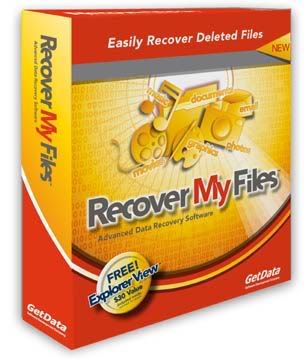
GetData Recover My Files v4.6.6.830 Professional

GetData Recover My Files v4.6.6.830 Professional

Image
Recover deleted files emptied from the recycle bin or deleted due to a virus infection, the format of a hard drive or software crash. Recover My Files data recovery software will easily recover deleted files emptied from the Windows Recycle Bin, or lost due to the format or corruption of a hard drive, virus or Trojan infection, unexpected system shutdown or software failure. It has full options to search Windows temporary folders and can even locate and recover files that have never been saved! Recover My Files data recovery software requires no special technical skill.
Recover My Files is fast and easy. No technical or data recovery software skills are required to undelete files. Use Recover My Files to perform hard drive data recovery, or if you are trying to unformat and recover data from floppy disk, zip drive, smart media, compact flash or other removable media. It is easy disk recovery software to undelete files and get data back.

Recover My Files data recovery software will find any type of file, but includes specific support for more than 300 file types in the following broad categories:

• Recover deleted email
• Recover deleted documents
• Recover deleted archives
• Digital Photo recovery
• Recover deleted music and video

Recover My Files is compatible with Windows 98/ME/2000/2003/XP and Vista and works with FAT 12, FAT 16, FAT 32, NTFS and NTFS5 file-systems.


With a deleted file the data content of the file is rarely destroyed. Even if Windows file reference information has been destroyed, Recover My Files scans the data at a low level to locate "Lost Files" by their internal file structure. This allows Recover My Files to recover deleted files that other data recovery software can never know exist.


Professional data recovery software for:

• Deleted Files;
• Lost Files;
• Formatted Disks;
• RAW Disks;
• Missing Drive Letters;
• Windows Reinstalls.

Safe, secure and reliable. Designed specifically to allow home and business users to quickly and simply recover data. Simple to use, with a full file preview window for recovered files.


Recover My Files is the perfect recovery tool for:

• Hard drives
• USB drives
• External storage units
• Digital camera storage media
• CDs and DVDs

Recover My Files V4 supports recovery from a wide range of Filesystems:

• FAT16 - an early version of the FAT Filesystem, now rarely used
• FAT32 - common for external storage media and digital camera equipment
• exFAT - (Extended File Allocation Table), a proprietary file system suited especially for flash drives
• GPT - GUID Partition Table, a standard for the layout of the partition table on a physical hard disk
• NTFS - Standard files system for Windows Vista, Windows 7
• CDFS - CD/DVD file systems (Coming Soon)
• MAC - HFS (Coming Soon)
• EXT2 - Linux (Coming Soon)
• RAID - RAID JBOD, 0, 1, 5, hardware and software


Smart Data Recovery 4.4 - Recover All YOUR Deleted FILES!

Smart Data Recovery 4.4 - Recover All YOUR Deleted FILES!

Image

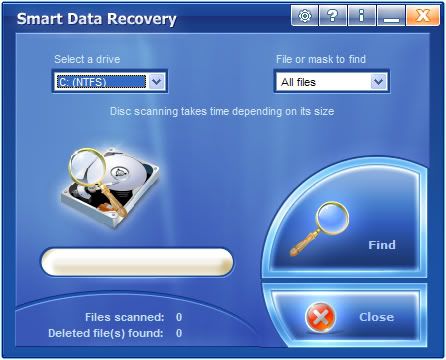
Smart Data Recovery is a data recovery tool for Windows operating system that supports the FAT and NTFS file systems.The Data Recovery is an effective and powerful, easy-to-use software program that enables the recovery of lost data.


Smart Data Recovery is compatible with almost all kinds of data storage - from computer hard drives to digital cameras. It also supports flash drives, USB drives, floppy disks, memory sticks, PC cards, multimedia cards, and secure digital cards. The Data Recovery is able to restore all sorts of files, including electronic documents and pictures. It restores files from FAT32 and NTFS hard drives, has really simple interface and is compatible with Windows operations systems. Our aim is to prevent information loss, and prevent you from wasting your time and money. For different reasons, important documents and user files are sometimes lost. Without a recovery tool for documents and files, this may become a huge problem (one that leads to considerable inconveniences, and requires expensive solutions).


Smart Data Recovery applies a simple yet powerful algorithm, which makes it possible to restore your lost data quickly and effectively.


The Data Recovery can recover any deleted files, including MS Office files, images, mp3, and zip files!


Recovering data lost due to system malfunction or user error requires hours of work preceded by hours of research from unsuspecting victims. Educate yourself about possible ways to recover data from damaged disks and corrupted flash memory cards before the failure happens.


While there is no lack of data recovery tools on the market, downloading and trying one after another is the worst idea ever. A badly executed unsuccessful attempt to recover lost files can and does cause irreparable damage to corrupted data.


How would you choose the right data recovery tool to do the job? There are several criteria to data recovery software that you should be aware of. First, there are tools designed to recover your files and data, such as Office documents, archives, pictures and other stuff, and there are tools that repair the damaged disk structures such as the file system (FAT or NTFS), MBR and partition table. Note that the second class of recovery tools cares little about what happens to your data, often messing up with your files while repairing the damaged system structures.


Second, if you are new to data recovery, you need a tool that is as easy to use as possible. You don't want data recovery tools advertised as 'professional', as only the real professionals can benefit from using those. Let us be honest: you're more likely to screw things up with these tools as they deliberately lack any protection against possibly disruptive actions on your side.


Third, get only those tools that can demonstrate their ability to recover data instead of taking their word on it.


Smart Data Recovery by Smart PC Solutions is a perfect solution for rush data recovery. If you have no specialized experience in data recovery, but need your data back right away with no risk, Smart Data Recovery is an ideal tool for you.


Fixing your files and recovering your data, Smart Data Recovery is designed as a fully fool-proof solution. A simple step-by-step wizard guides you through the recovery process, asking you questions that are easy to understand and to answer, such as asking you to pick a disk that contains files to recover. To make things run even smoother, Smart Data Recovery has a U3/USB edition that runs from a flash memory card, minimizing unnecessary writes to the damaged disk.


Smart Data Recovery can often recover files even if your disk has been reformatted (on FAT formatted disks). Smart Data Recovery can recover data from disks formatted with all versions of FAT or NTFS. The pre-recovery preview demonstrates you exactly what the recovered file will look like, making you sure that the recovery is actually possible. Don't take our word on it!


Compatible Platforms: Windows NT/2000/XP/2003/Vista/Windows® 7


Revo Uninstaller Pro v2.5.7 Final - Multilingual - Full

Revo Uninstaller Pro v2.5.7 Final - Multilingual - Full

Revo Uninstaller Pro
helps you to uninstall software and remove unwanted programs installed on your computer even if you have problems uninstalling and cannot uninstall them from "Windows Add or Remove Programs" control panel applet.

Revo Uninstaller Pro
is a much faster and more powerful alternative to "Windows Add or Remove Programs" applet!

With its advanced and fast algorithm,
Revo Uninstaller Pro analyzes an application's data before uninstall and scans after you uninstall an application. After the program's regular uninstaller runs, you can remove additional unnecessary files, folders and registry keys that are usually left over on your computer. Even if you have a broken installation, Revo Uninstaller Pro scans for an application's data on your hard disk drives and in the Windows registry and shows all found files, folders and registry keys so you can delete them.

With its unique "Hunter mode", Revo Uninstaller Pro offers you some simple, easy to use, but effective and powerful methods for uninstalling software. You can use it to manage your installed and/or running software programs.


Revo Uninstaller Pro has a very powerful feature called Forced Uninstall. This feature allows you to remove leftovers of programs that are already uninstalled, incomplete installations and uninstallations of programs! It does not matter if the program, you want to remove, is not listed in Revo Uninstaller Pro or in Windows Add/Remove Programs Control Panel applet. Forced Uninstall gives the power to the user but steel keeps the safety and the accuracy of the results.


Revo Uninstaller Pro has another feature that allows monitoring of installation of a program and detects system changes during that installation. The process is done in real time – simultaneously! This feature is also very powerful because by monitoring system changes during the installation we eliminate all the scanning algorithms when we need to uninstall that program.


Here is the list of the tools and utilities included in Revo Uninstaller Pro:


Auto Start Manager -
Stop programs that start automatically on Windows startup; speed up loading of Windows!

Windows Tools Manager -
Handy and useful tools bundled with every version of Windows; easily find useful system tools and options!

Junk Files Cleaner -
Find and remove unnecessary files from your computer; free up disk space and delete files you do not need!

Browsers History Cleaner -
Erase web browser history, visited pages history and temporary internet files of Internet Explorer, Netscape and Opera web browsers; free up a lot of disk space by deleting temporary internet files like temporary saved videos, temporary flash files, temporary pictures etc!

Office History Cleaner -
Remove the history of most recently used files in MS Office; remove your tracks by deleting the list of last opened MS Office documents!

Windows History Cleaner -
Remove the history of recently opened files, delete temporary files, remove usage tracks and other history items that are saved by Windows; remove your tracks saved by Windows for a lot of operations!

Unrecoverable Delete Tool -
Erase files and folders forever; be sure that nobody could recover your files and folders after deleting!

Evidence Remover
- Make sure already deleted files, folders and other data are unrecoverable; securely erase your data!

Compatible with: Windows XP, 2003, Vista and Win7 (32/64-bit)

Multilingual: English, Spanish, Italian, Japanese, Deustch, Dutch,
Danish, Bulgarian, Polish, Slovak, Hebrew, Macedonian.

Revo.Uninstaller.Pro.v2.5.7.by.tano1221.rar - 7.4 MB

http://leech.uploadbaz.com/files/Revo.Uninstaller.Pro.v2.5.7.by.tano1221.rar
این لینک مستقیم میباشد و تا 72 ساعت اعتبار دارد